ShengHung-ken
# ShengHung-ken
## Independent Developer Behind PADVERO
I’m an independent developer based in Taiwan, building practical software that makes everyday devices more useful.
My current project is PADVERO — an Android and Windows tool that turns an Android phone into a wireless XInput-compatible game controller for Windows.
## Why I Built PADVERO
PADVERO began with a simple idea:
Your phone already has a touchscreen, Wi-Fi and multi-touch input. When a physical controller is not available, it should be able to become a practical gamepad for your PC.
PADVERO connects directly over your local Wi-Fi network. It does not require a cloud account, and controller input stays on your local network.
## What PADVERO Offers
* Android phone controller for Windows 10 and Windows 11
* XInput-compatible virtual controller
* Automatic Windows Receiver discovery
* Manual PC IP connection when needed
* Multi-touch landscape controls
* English and Traditional Chinese Android interface
* No advertisements
* No cloud account required
## Free and Pro Editions
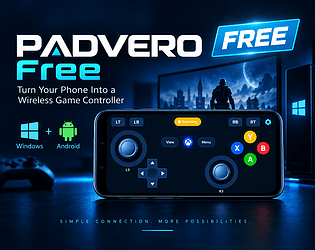
PADVERO Free provides the complete Xbox 360-style controller layout and the core wireless XInput experience.
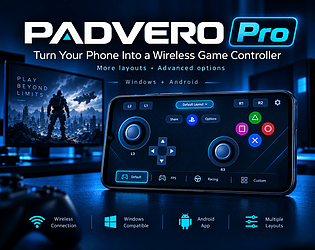
PADVERO Pro adds more controller layouts:
* PS Classic
* PS Dual Analog
* Fighting
* SNES
The Pro edition is available for US$5.99 and includes both the Android Pro APK and the Windows Receiver installer.
## Current Release
PADVERO 0.7.0-beta.1 adds:
* English support to the Android app
* Traditional Chinese and English automatic language selection
* A new Pro-only SNES controller layout
The release has passed Android build tests, APK signature verification and physical-device testing with the Windows XInput Receiver.
PADVERO is still in beta, and I’m continuing to improve compatibility, usability and controller layouts through real-world testing.
## Try PADVERO
[Download PADVERO Free](https://shenghung-ken.itch.io/padvero-free)
[Get PADVERO Pro — US$5.99](https://shenghung-ken.itch.io/padvero-pro)
[Follow ShengHung-ken on itch.io](https://shenghung-ken.itch.io/)